
KeysDaily: Piano Practice Log
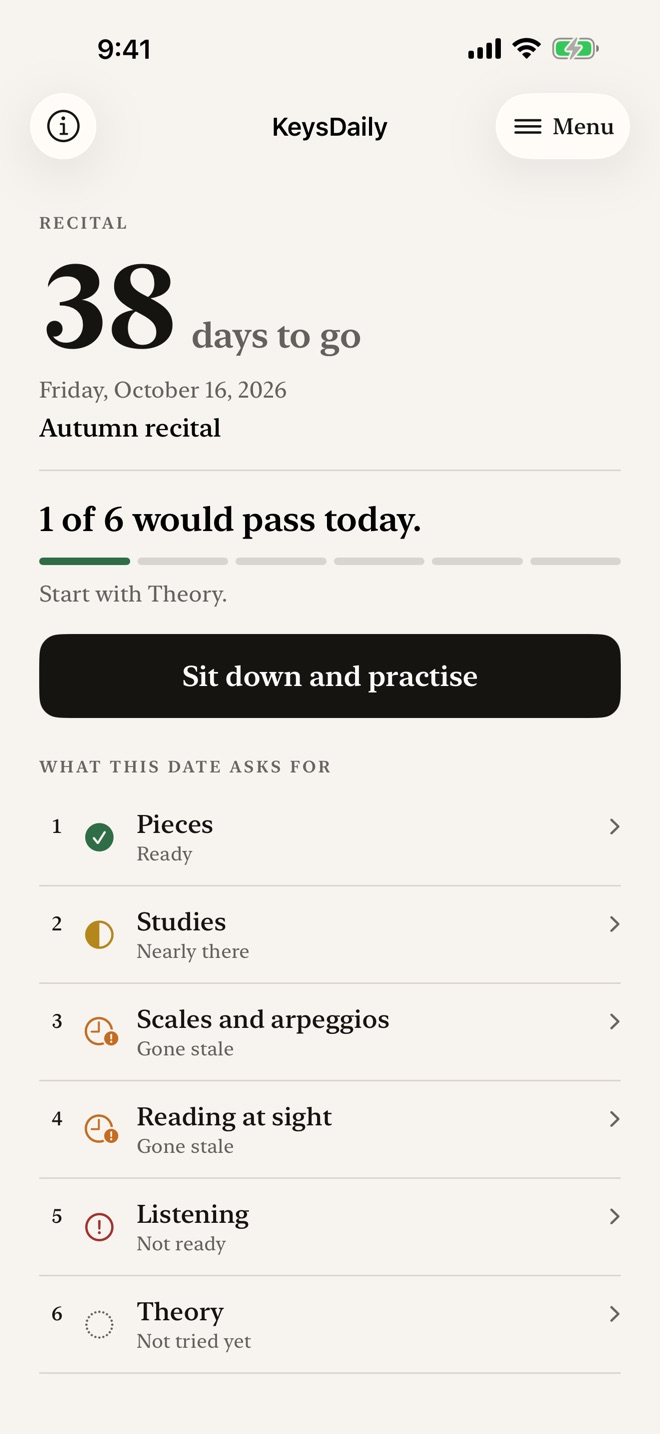
Set the date you are playing on, say what it asks of you, and open the app to one sentence: what would pass today.
iPhone and iPadAvailable worldwideVersion 2.0.0
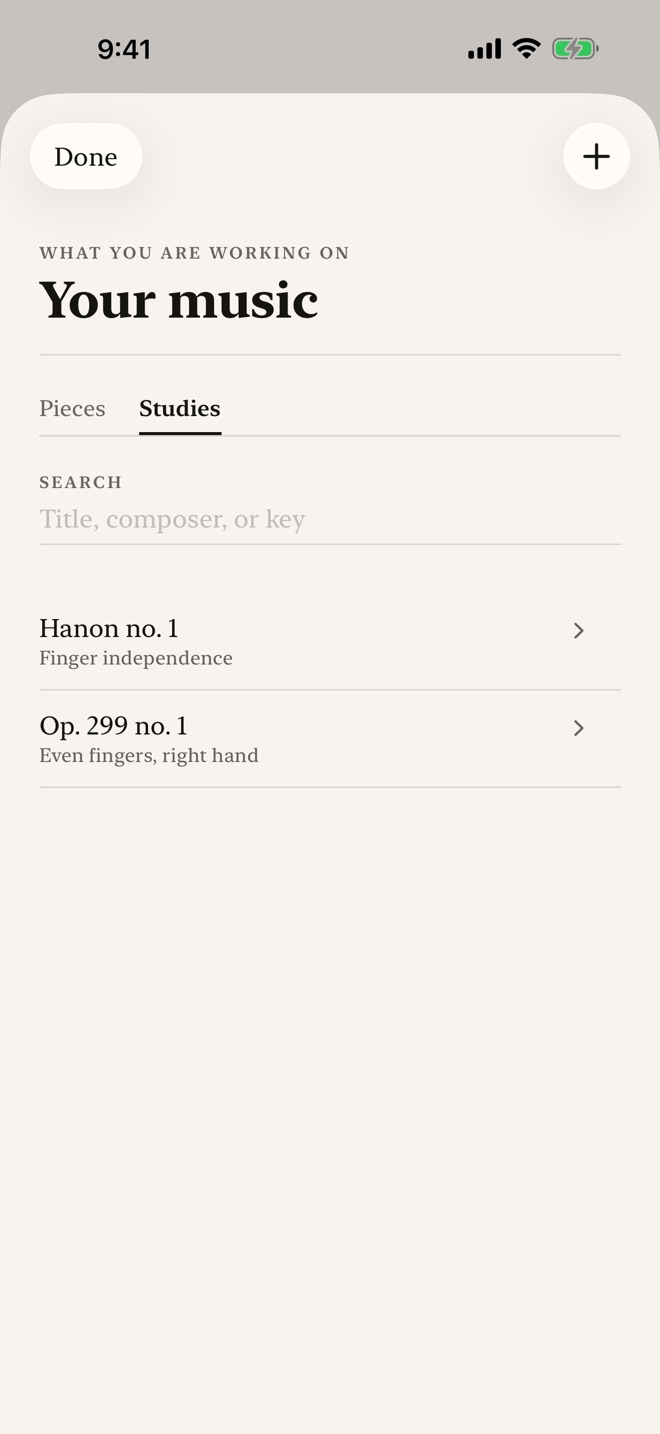
KeysDaily is for the piano student who has a date to play on.
Set the date. Say what it asks of you. Open the app to one sentence: what would pass today.
IT STARTS WITH A DATE
An exam, a recital, an audition, or a date you set yourself. The countdown comes first. Every requirement hangs off that date, and a past date can be brought back.
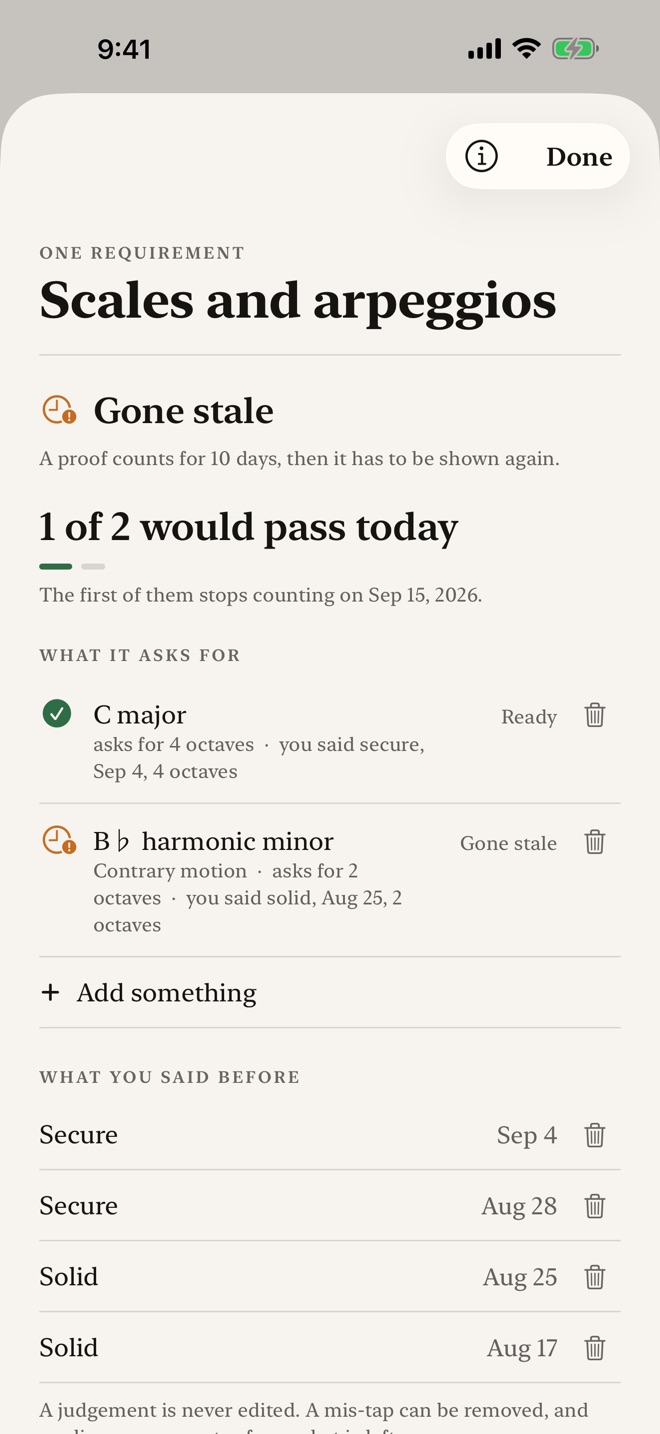
WHAT WOULD PASS TODAY
Each requirement has its own freshness window, set by you. A proof stops counting when that window runs out. A requirement counts as ready only when its direct proof, or every attached item's newest proof, is fresh and meets its target. Add, rename, reorder or remove requirements as your date asks.
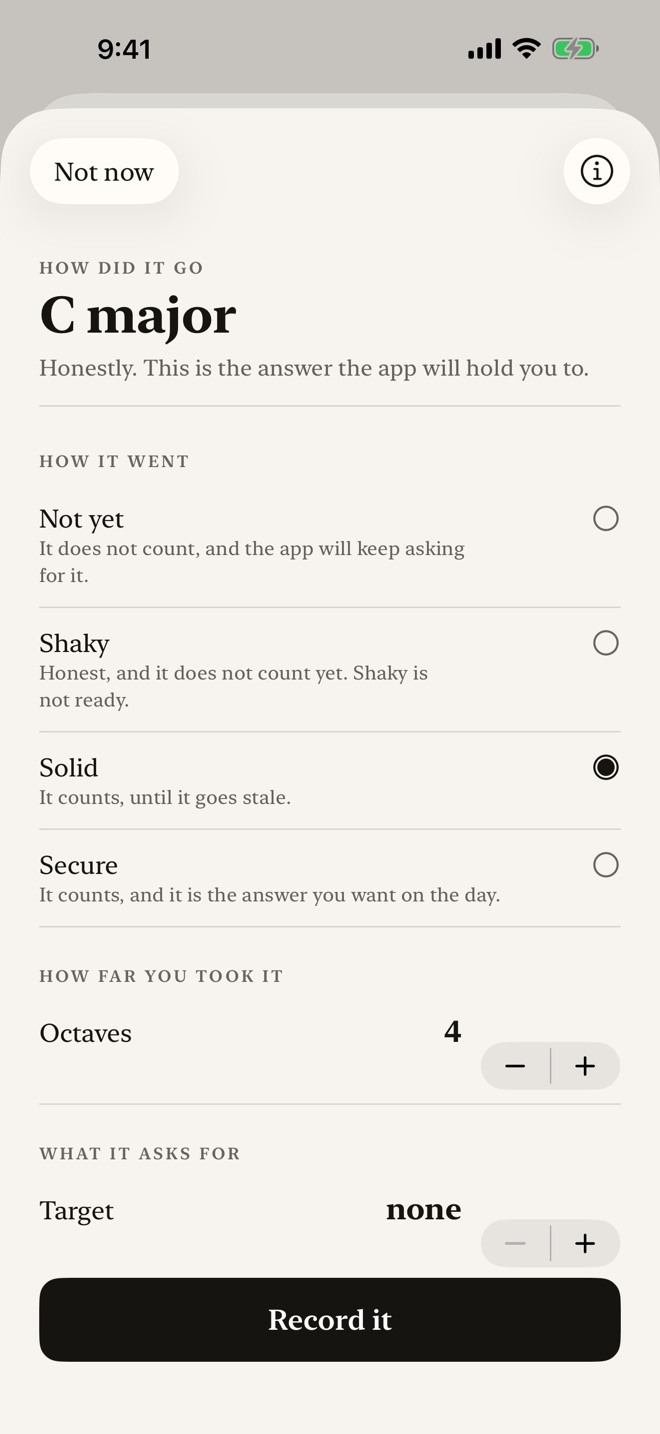
SAY HOW IT WENT
After playing, record how it went, how many octaves, and the tempo you held, as a beat rate AND a subdivision. Sixty in four notes a beat is twice sixty in two, so the app compares speeds only when their subdivisions match. Proofs are self reported, never machine graded.
AT THE INSTRUMENT
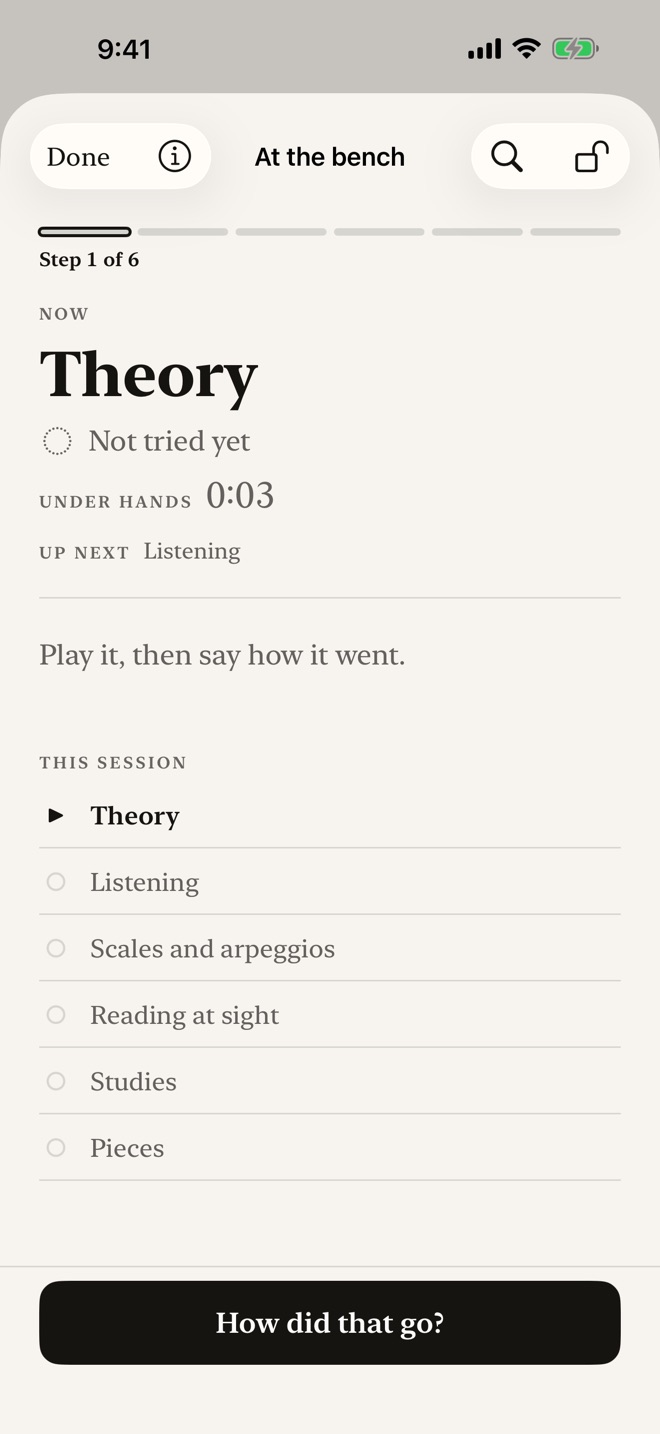
The bench puts the weakest thing first, shows the fingering for both hands without asking, and gives you one control the size of a hand. Nothing beeps. A lock stops sheet music and sleeves from tapping the screen.
STUDIES ARE NOT PIECES
Technical work has its own shelf, with what it trains in your own words, hands separate, and a target tempo. A study is drilled and returned to, never finished.
SCALES, MODES, ARPEGGIOS, CHORDS
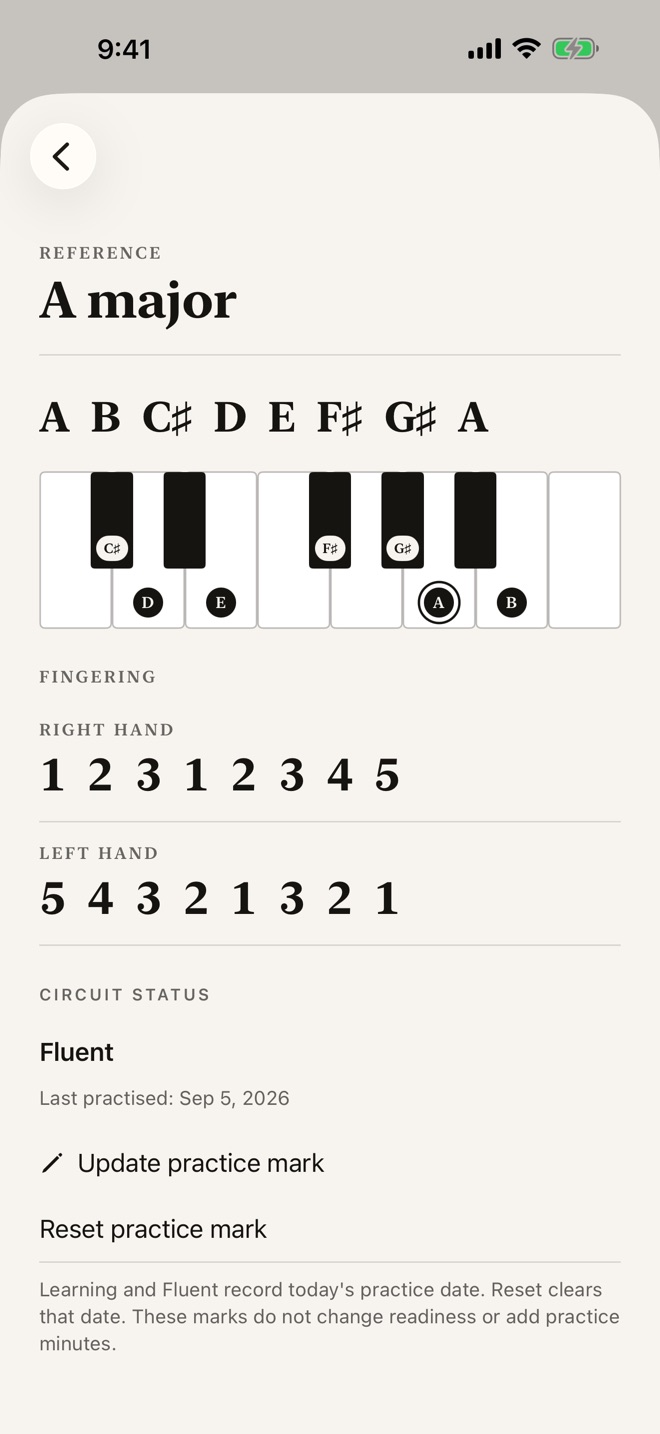
Explore scales, modes, pentatonics, blues, whole tone, arpeggios, sevenths and broken chords. Cards show spelled notes, named keys and fingerings where a traditional one exists. Track fluent scales and your next key. Attach different forms separately: contrary motion is not straight motion. Chromatic fingering follows a rule suited to the starting note.
YOUR PRACTICE RECORD
Time a session, pause and resume, or enter it afterwards. Edit your notes, follow a reusable routine and see time by day and focus. Keep your session history, routines and scale progress alongside your readiness proofs. Minutes practised never count as proof that a requirement is ready.
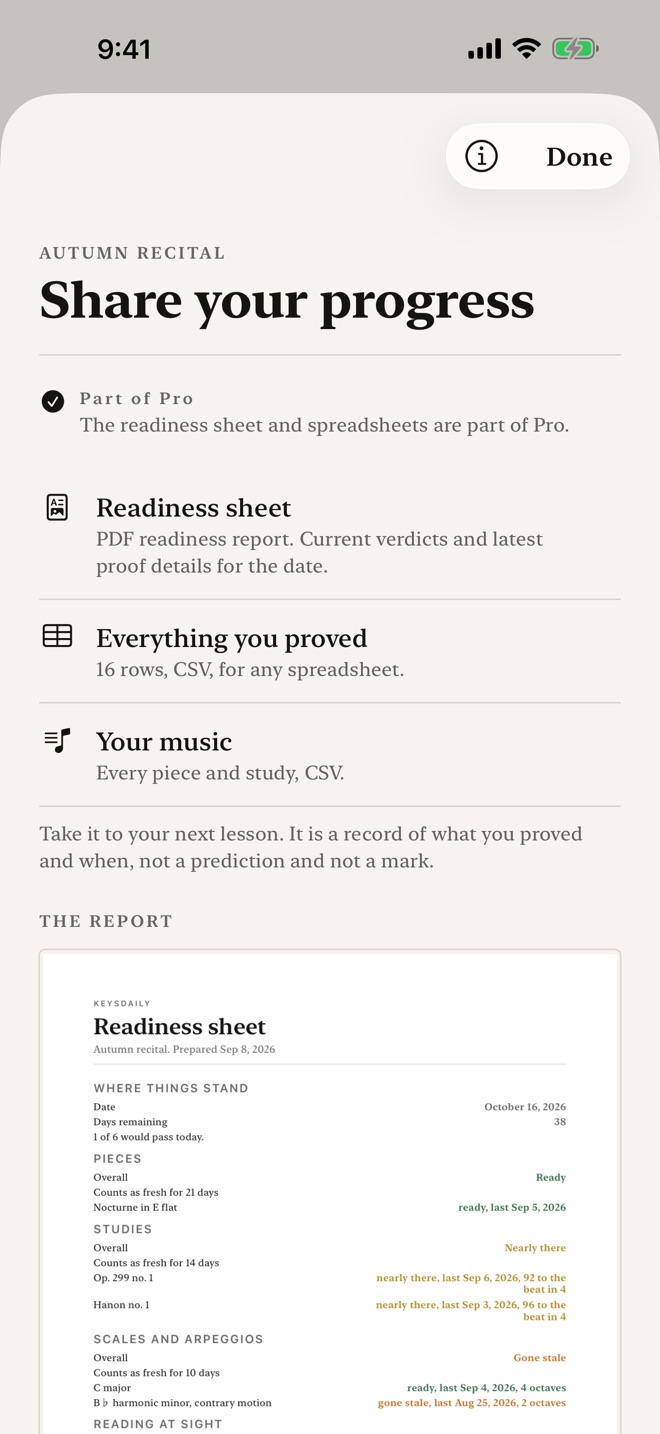
A READINESS SHEET FOR YOUR NEXT LESSON
A PDF readiness sheet showing what is ready, what has gone stale, and the latest tempo held for each item. Take it to your teacher instead of saying you practised.
WHERE IT IS GOING
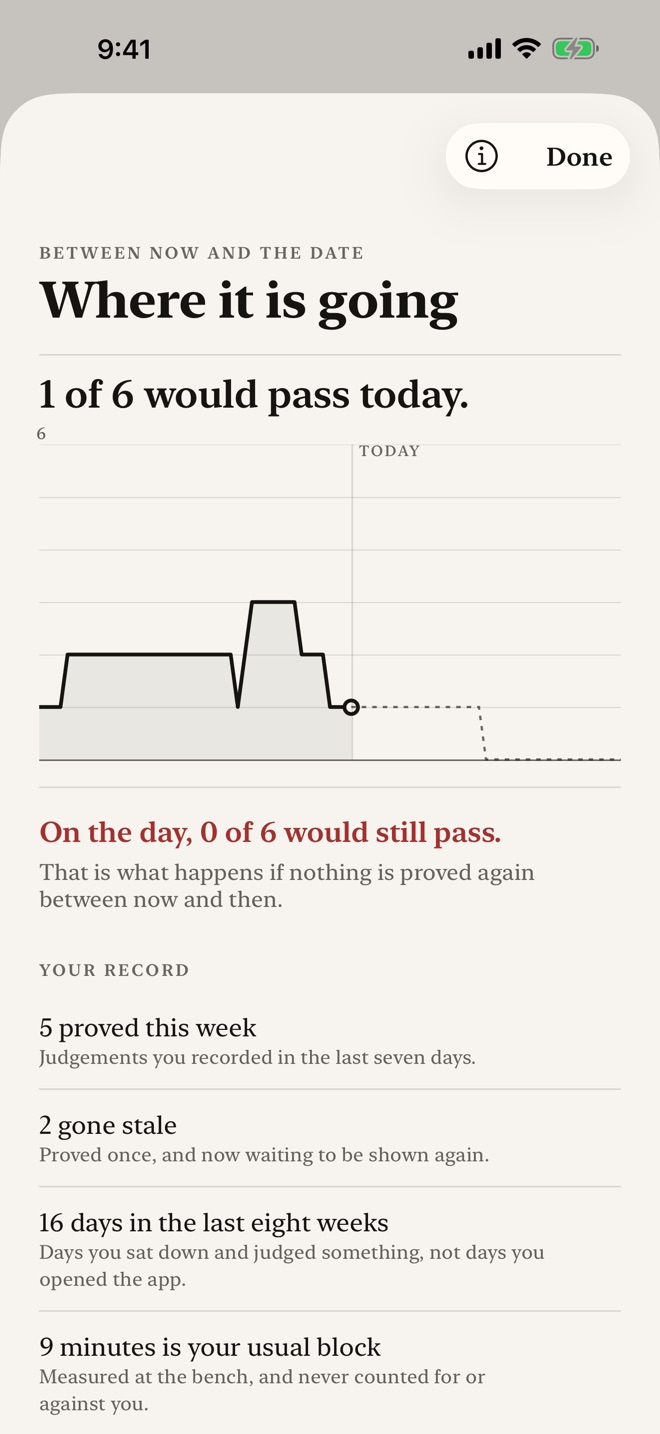
A line that runs from what you have proved to the day you play, and falls where proofs will expire if you stop. Readiness counts judgements, not attendance. Each requirement shows what holds and when its first proof expires. Under hands shows how long a bench block has been open without scoring it. Numbered help explains the steps.
PRIVATE, AND YOURS
No app account and no advertising tracking. Your record syncs through your own iCloud account across your devices. The words are yours too: the exam board, the grade, a level on each piece, the collection a study comes from, all typed by you.
FREE AND PRO
Free includes one active date, six attached items, two saved routines, the reference, timer, session editing, statistics and scale progress. Existing routines remain usable above the limit; history recovery export stays free. Pro removes creation limits and opens the daily reminder, readiness and practice PDFs, and spreadsheets. A reminder enabled before this update remains available without Pro. Choose monthly or yearly auto renewing access, or a one time lifetime purchase. The App Store shows the localized price before confirmation.
Subscriptions renew automatically until cancelled. Payment is charged to your Apple Account at confirmation. Manage or cancel in Settings > Apple Account > Subscriptions. Cancellation applies at the end of the current period.
Not affiliated with, endorsed by, or connected to any examination board. KeysDaily ships no syllabus, no set piece list and no grade requirements.
Privacy: https://innovalabworks.com/a/keysdaily/privacy
Terms: https://www.apple.com/legal/internet-services/itunes/dev/stdeula/
What’s new · 2.0.0
KeysDaily 2.0 brings your practice record and your next performance date together.
Set a date and its requirements. Record what you can play today, choose how long each proof counts, and see what will still be ready on the day. Tempo comparisons respect the notes played per beat.
Your timer, editable sessions, routines, time statistics and scale progress remain part of the app. Minutes practised and musical readiness stay separate. Existing records stay available, and history recovery export remains free.
Also in 2.0: studies with their own training focus, separately assessed scale forms, fingerings at the keyboard, a readiness timeline and printable readiness and practice reports. Requirements can be renamed, reordered and given their own freshness window. Numbered help guides the main workflows.
Active subscriptions and lifetime purchases keep Pro access. Routines already saved remain usable above the free creation limit, and a reminder enabled before the update stays available without Pro.
Missing a feature?
Your ideas help shape our apps. Tell us what would make your app more useful.
We review requests to understand what would help. Timing depends on scope, priorities and App Store review.
More in this category
FretDaily: Guitar PracticePractice routines & streaksOn the App Store
StickTime: Drum PracticeRudiments, tempo, repsOn the App Store

VinylCrate: Record ShelfCrates, spins, pressingsOn the App Store
VocalEase: Voice WarmupsWarmups, range, careOn the App Store
Common questions
Where can I download KeysDaily: Piano Practice Log?
Use the App Store link above to see availability, supported devices and current purchase options in your region.
What is the current App Store version?
2.0.0
Where can I find the privacy details?
Read this app’s privacy policy using the link below. Storage, sync and optional online features are specific to each app.