See what your side hustle really earns. Log income and costs per gig, see real profit and margin, quick add mileage and supplies, and export a tax time CSV.
GigLedger turns your side hustle into real numbers. Log income and costs per gig, and see the profit you actually keep after mileage, supplies, and fees. No account, no cloud, everything stays on your iPhone.
WHY GIGLEDGER
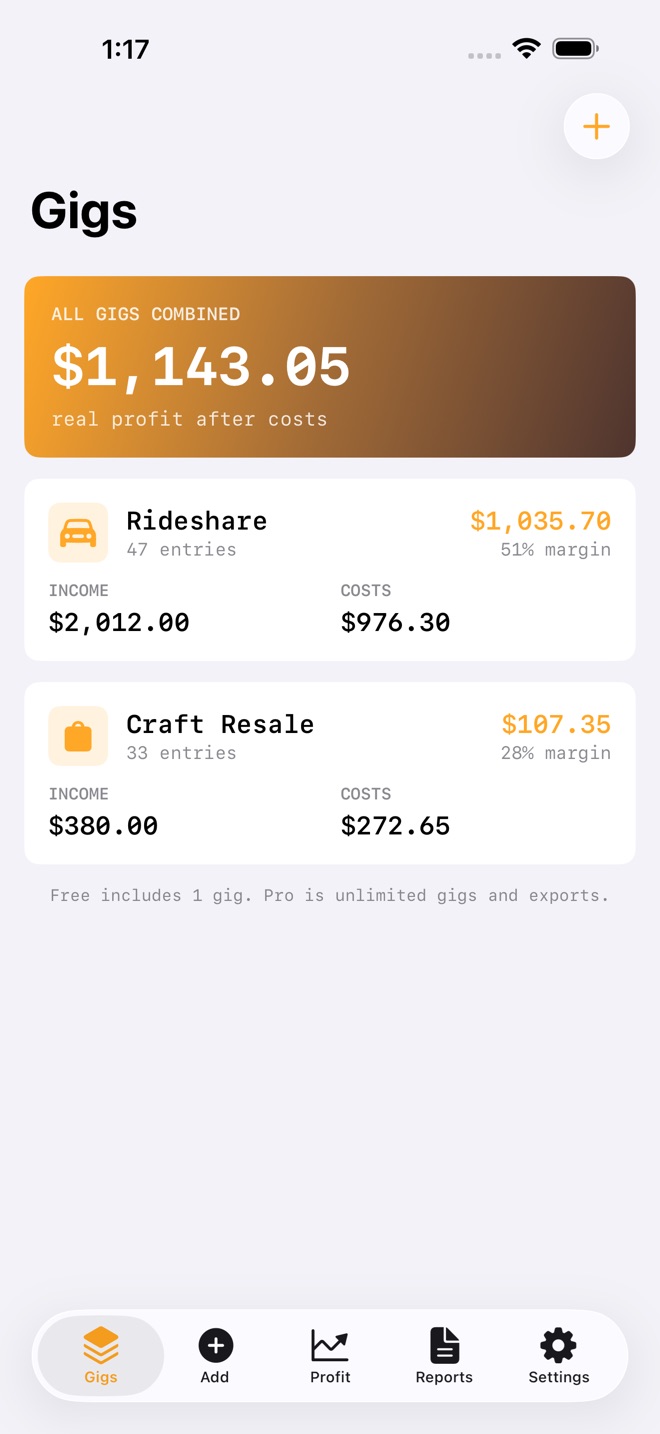
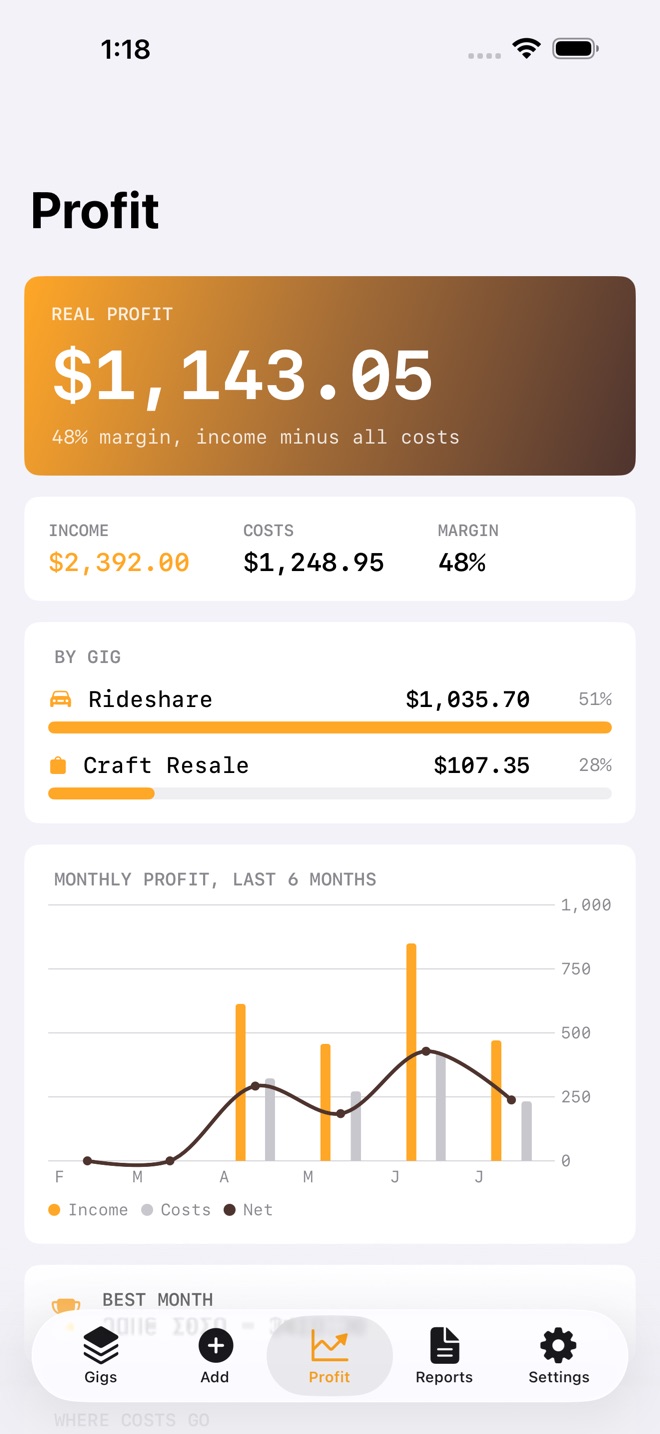
Most tools track what you made. GigLedger tracks what you kept. Income minus every categorized cost gives you real profit and margin, per gig and combined, with a monthly chart and a cost breakdown so nothing hides.
FEATURES
- Multiple gig profiles, so rideshare and resale never mix
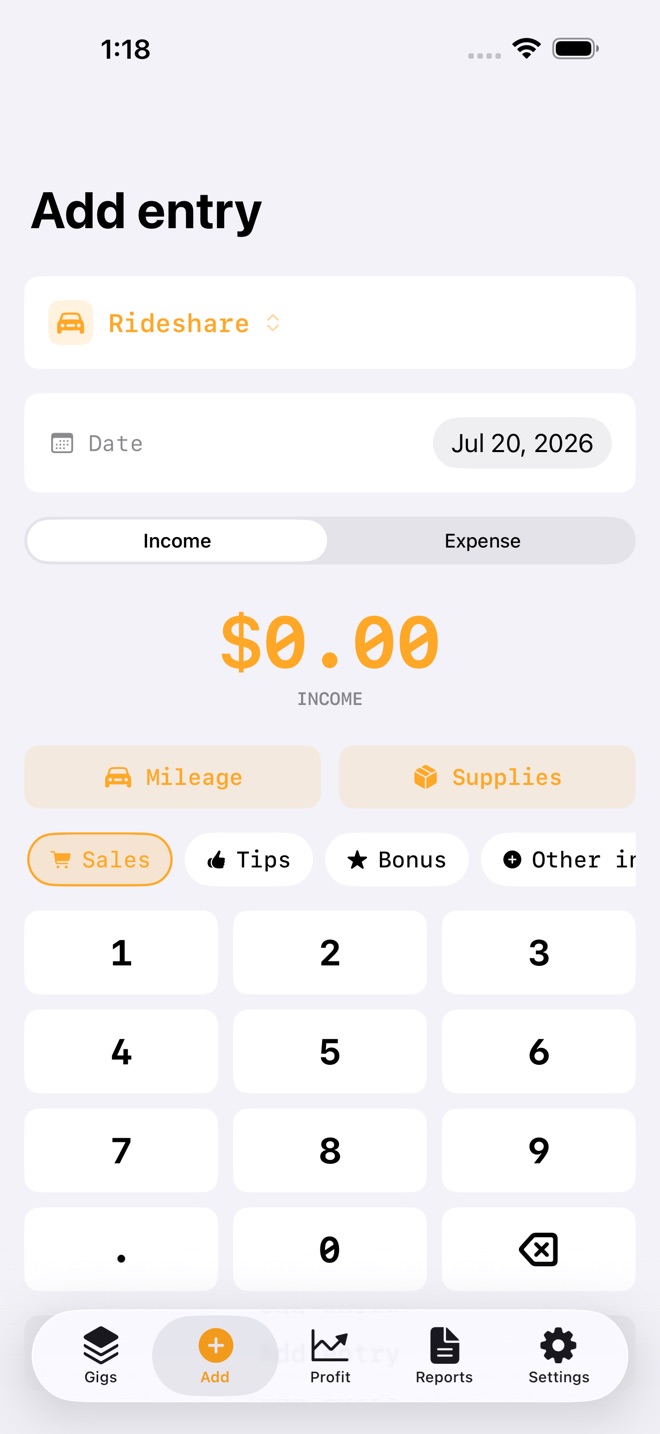
- Income and expense entries with categories, three taps from open to logged
- Edit any entry, and backdate income or costs to the day they happened
- Real profit after costs, with margin per gig and combined
- Monthly profit chart, income versus costs with a net line
- Best month insight, drawn from your own numbers
- Search and filter a gig's entries as the list grows
- Mileage and supplies quick adds, with the deductible computed at your stored per km rate
- Tax time CSV per gig, a year summary across gigs, and a year end tax PDF for your accountant
- On iPhone and iPad
FAST TO LOG
Pick the gig, tap income or expense, choose a category chip, type the amount on the pad. Mileage is one tap: enter the distance and the deductible is computed for you at a rate you control.
FREE AND PRO
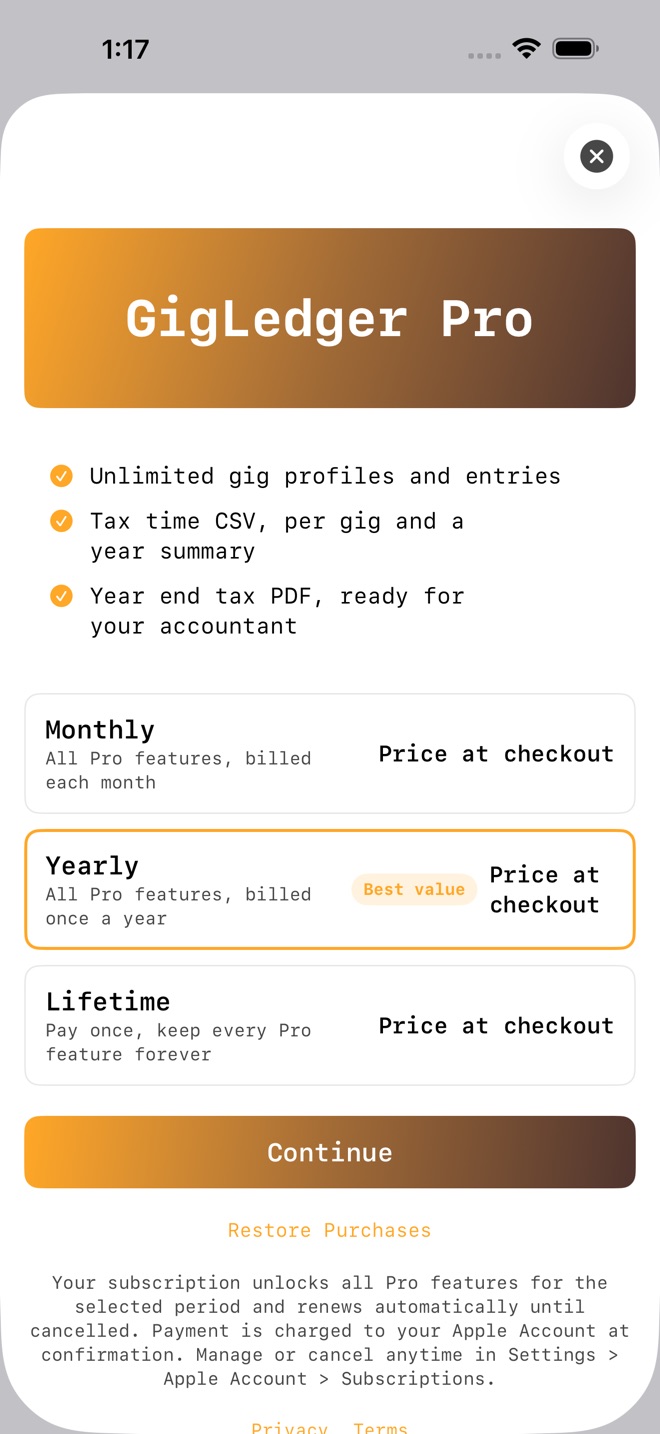
Free includes one gig and 25 entries, with the full profit view, chart, and cost breakdown. Pro unlocks unlimited gigs and entries, the tax time CSV exports, and the year end tax PDF. GigLedger Pro is available as a monthly or yearly subscription, or a one time lifetime purchase. See the current price in the app.
PRIVATE BY DESIGN
No account, no sign in, no tracking, no ads. Your data lives on your device and in your own backups.
A NOTE ON TAXES
GigLedger organizes income and costs for tax time. It is informational only and not tax advice. Confirm what you can claim with a qualified tax professional.
Pro subscriptions renew automatically until cancelled. Payment is charged to your Apple Account at confirmation. Cancel anytime in Settings > Apple Account > Subscriptions; cancellation applies at the end of the current period. Terms: Apple Standard EULA https://www.apple.com/legal/internet-services/itunes/dev/stdeula/
What’s new · 1.2.0
Edit and backdate any entry. Search and filter a gig's entries. A best month insight on the Profit tab. A new year end tax PDF you can hand to an accountant, alongside the CSV exports. Now on iPad. Plus reliability and polish.
Missing a feature?
Your ideas help shape our apps. Tell us what would make your app more useful.
We review requests to understand what would help. Timing depends on scope, priorities and App Store review.
A gig profit tracker needs both income and costs. GigLedger keeps separate gig profiles and shows profit and margin from the entries you record.
Choose the gig
Start with one gig profile so its income and expenses stay together. Pro supports multiple profiles when you want to keep different side hustles separate.
Record income and costs
Choose income or expense, select a category and enter the amount. Use the date the transaction happened; you can edit or backdate entries. Include supplies and fees as well as income.
Review the result
Profit is income minus recorded costs. For example, 120 in income and 30 in costs leaves 90 in profit. Review the monthly chart and cost breakdown to see which recorded costs affect that result.
Prepare your records
With Pro, export a per-gig tax-time CSV, a year summary or a year-end tax PDF. Check your entries before sharing them with an accountant.
Keep purchase evidence alongside your expense records with KeepReceipt for receipt photos and purchase records.
Common questions
Does GigLedger track income or profit?
It tracks income and categorized expenses, then calculates profit and margin per gig and across gigs. Results depend on the entries you record.
What is included before purchasing Pro?
Free includes one gig and 25 entries, with the profit view, chart and cost breakdown. Pro adds unlimited gigs and entries, tax-time CSV exports and the year-end tax PDF.
Does a mileage entry establish a tax deduction?
GigLedger computes mileage using a per-kilometre rate you control. It organizes your records and does not provide tax advice. Confirm eligible deductions and rates with a qualified tax professional.
Where can I download GigLedger: Side Hustle?
Use the App Store link above to see availability, supported devices and current purchase options in your region.
What is the current App Store version?
1.2.0
Where can I find the privacy details?
Read this app’s privacy policy using the link below. Storage, sync and optional online features are specific to each app.