
ShiftTally: Tips & Shifts
See your true hourly wage, base pay plus net tips per hour. Log shifts fast, spot your best days and sections, and export a clean CSV for taxes.
iPhone and iPadAvailable worldwideVersion 1.2.6
Know what you really make.
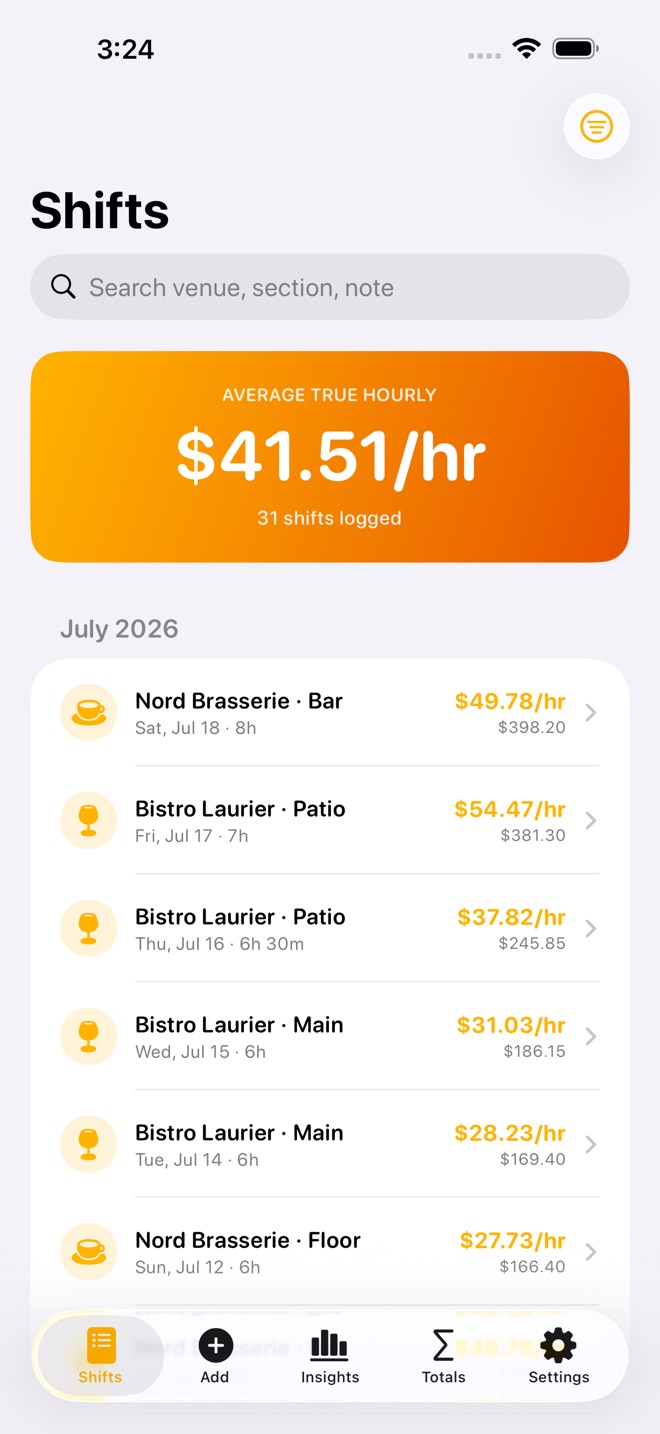
ShiftTally is the shift and tip tracker for servers and bartenders, now on iPhone and iPad. Log a shift in about two minutes and see your true hourly wage: your base pay plus your net tips, after tip-out, spread across the hours you actually worked. Per shift, and averaged across all of them.
WHAT YOU CAN DO
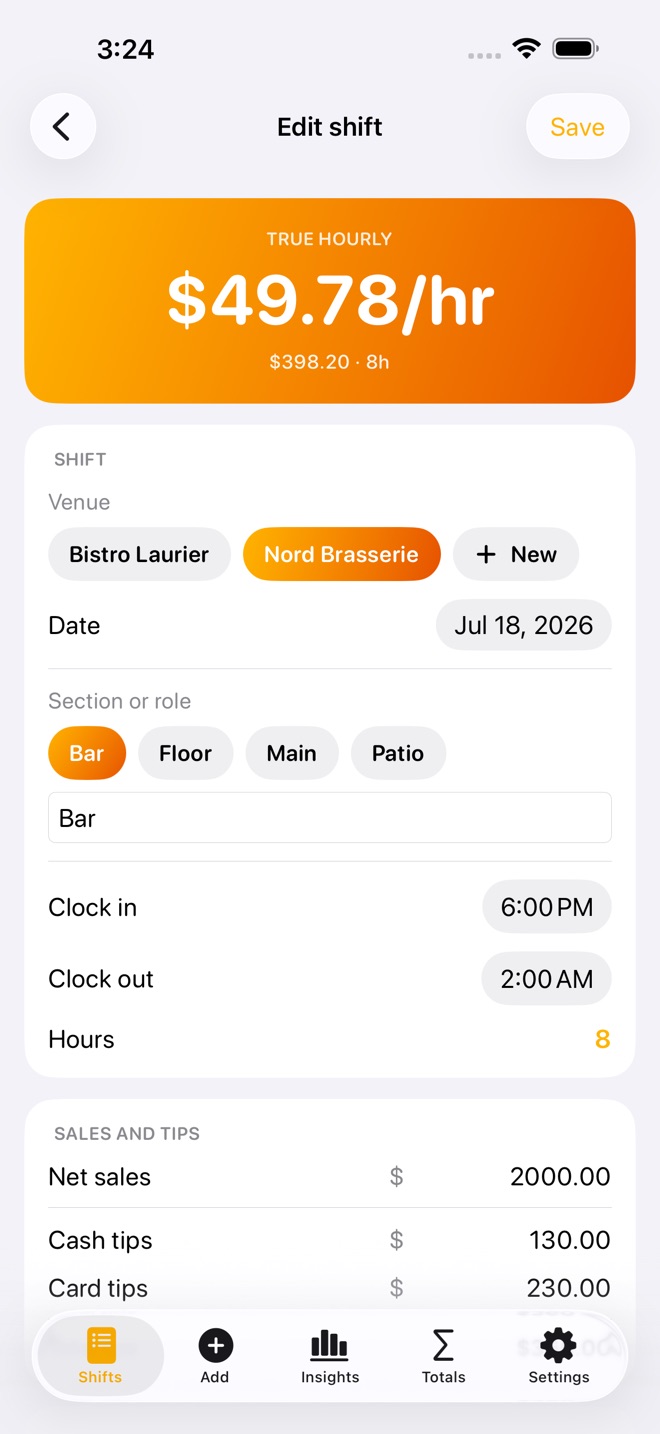
- Log every shift: date, venue, section or role, clock in and out (hours are worked out for you, even past midnight), net sales, cash tips, and card tips.
- See your true hourly wage, the number that counts what you walk home with, shown big on every shift and averaged across all your shifts.
- Apply tip-out presets with a tap: a flat amount, a percent of sales, or a percent of tips, saved per venue (Bar 15% of tips, Support 3% of sales).
- Log another shift like your last one in a tap, then just fill in the night's numbers.
- Search and filter your log by venue, section, or note as it grows across a tax year.
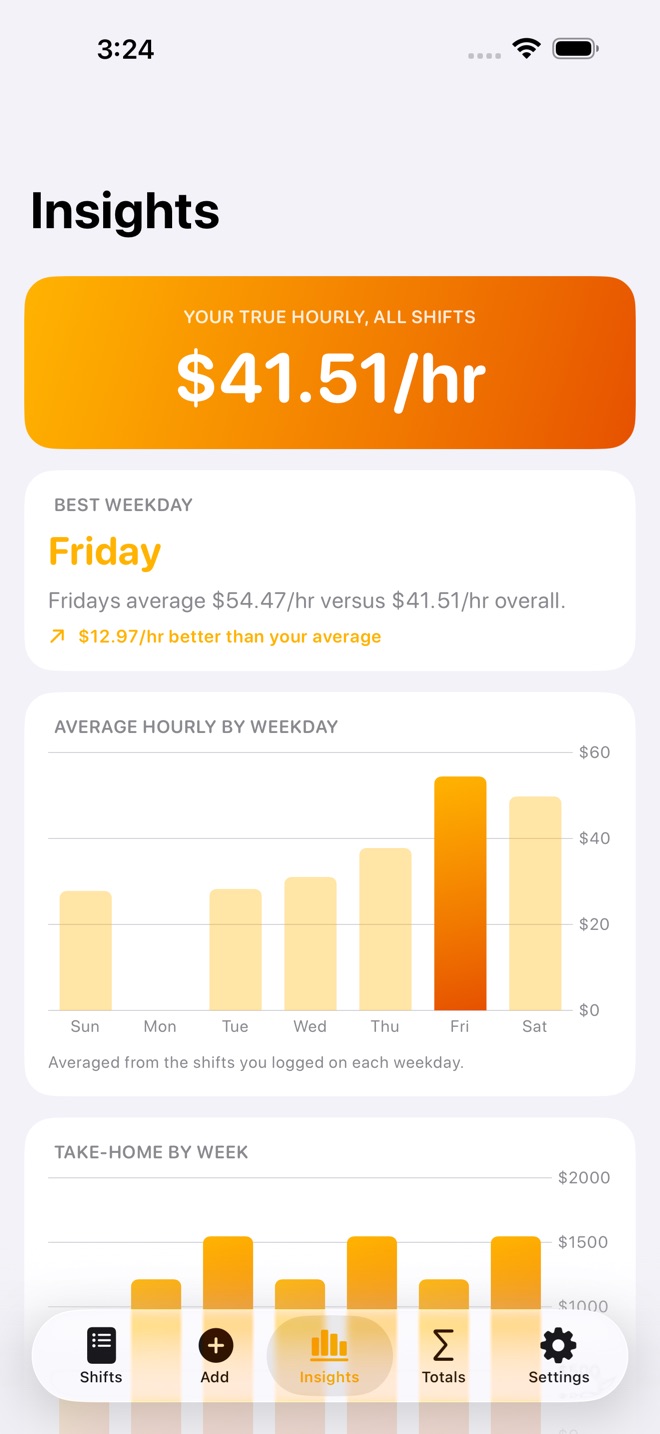
- Spot your best days and sections: your best weekday against your overall average, your best-paying section, tips per hour by time of day, and a week-by-week take-home trend chart.
- Set a weekly take-home goal and watch your progress, and set aside a percentage of your take-home for taxes so nothing catches you off guard.
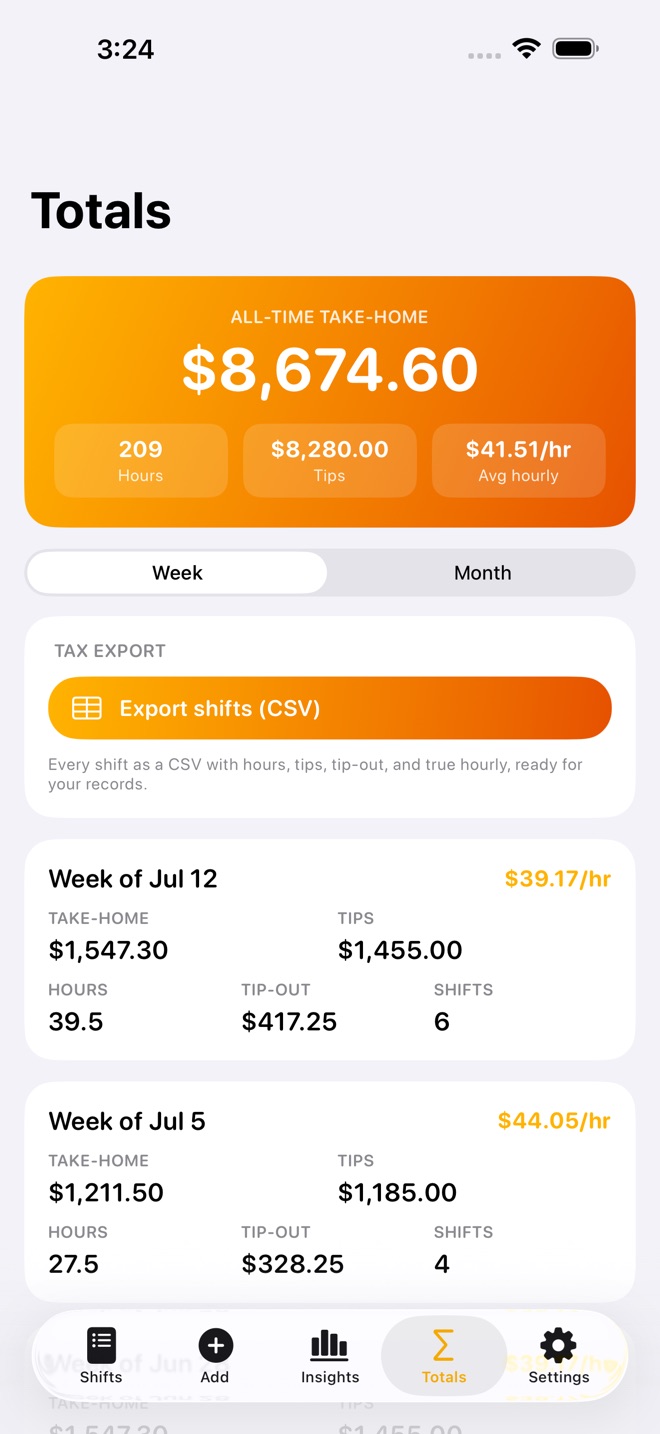
- Read weekly and monthly totals: hours, tips, tip-out, take-home, and average hourly, ready for tax time.
- Export a clean CSV of every shift for your records or your tax preparer.
FREE AND PRO
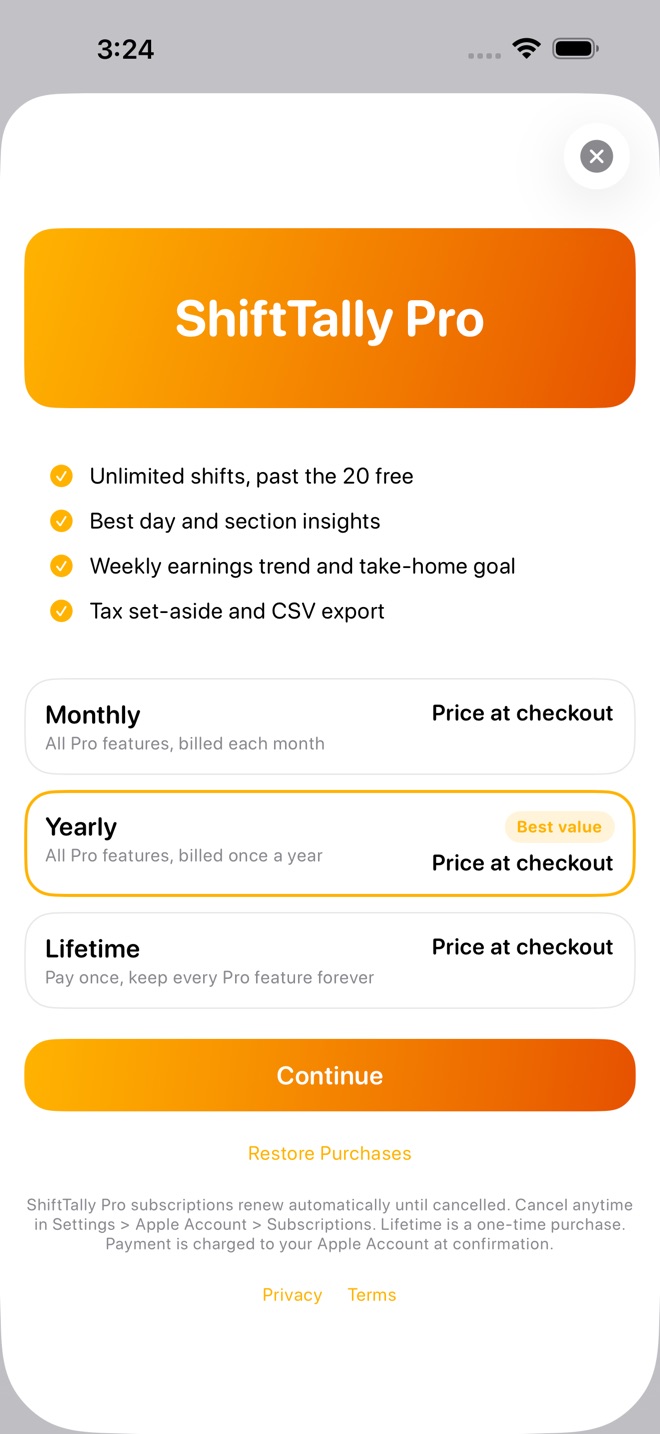
Track up to 20 shifts for free, with your true hourly on every one. ShiftTally Pro unlocks unlimited shifts, the insights (best day, best section, tips by time of day, weekly trend), the weekly goal and tax set-aside, and the CSV export.
PRIVATE BY DESIGN
Everything stays on your device. No account, no cloud, no tracking.
ShiftTally helps you organize your own numbers for tax time. It is informational only and not tax advice. Confirm what you owe with a qualified tax professional.
ShiftTally Pro is an auto-renewable subscription with monthly and yearly options, or a one-time Lifetime purchase. Current prices are shown in the app before you buy. Payment is charged to your Apple Account at confirmation of purchase. A subscription renews automatically unless it is cancelled at least 24 hours before the end of the current period. Your account is charged for renewal within 24 hours before the end of the current period. Manage or cancel anytime in Settings > Apple Account > Subscriptions.
Terms of Use (Apple Standard EULA): https://www.apple.com/legal/internet-services/itunes/dev/stdeula/
Privacy Policy: https://innovalabworks.com/a/shifttally/privacy
What’s new · 1.2.6
A brand new app icon, and broader device support: the app now works on iOS 18 and newer.
Missing a feature?
Your ideas help shape our apps. Tell us what would make your app more useful.
We review requests to understand what would help. Timing depends on scope, priorities and App Store review.
More in this category

AfterClaim: Life BenefitsConnect benefit sources, document requirements, carrier follow ups, beneficiary…On the App Store

BillOrbit: Bill CalendarPut every bill on one calendar, get nudged 3 days, 1 day, and the day it is…On the App Store

CoParentLedger: Kid CostsEvery shared cost for the children, each parent's share under your agreed…On the App Store

CycleFund: Fertility CostsPlan treatment costs clearlyOn the App Store
Common questions
Where can I download ShiftTally: Tips & Shifts?
Use the App Store link above to see availability, supported devices and current purchase options in your region.
What is the current App Store version?
1.2.6
Where can I find the privacy details?
Read this app’s privacy policy using the link below. Storage, sync and optional online features are specific to each app.